No products in the cart.

Limited stock Guaranteed Quality
Rust – 18 Skins (Kick Drop)
Viewed 78x • Sold 0
$0,75
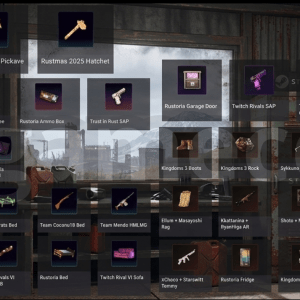
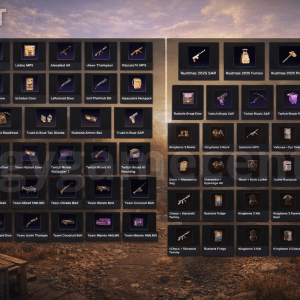
Rust Rewards:
Rust by Kick Drop
KICK Hazmat
KICK Rack
KICK Furnace
KICK Door
Spoonkid Door
Welyn Fridge
hJune Jacket
xQc Bow
Oilrats Shotgun
Ser Winter Thompson
Trainwreckstv L96
Ricoy MP5
Penpots Bed
CoconutB Bag
Rustmas Crossbow
Rustmas Jackhammer
Rustmas Box
Rustmas Door
 Product activation:
 Activation
- Only redeem items in “GOOGLE CHROME/EDGE” browsers on your PC. You can try linking first in your main browser (if you don’t use these browsers), but if you fail to log in to KICK, you need to use them. When entering the KICK account, the “Unknown error. Please try again” – try incognito mode (ctrl+shift+n). If it doesn’t help, try a VPN (in extreme cases), activation via mobile Internet (there will be a different IP) or wait until the error goes away on its own. This may be due to frequent logins to the kick or the use of a public IP address. The browser can be downloaded from the link:google.com/intl/ru/chrome, Edge is a built-in browser in Windows.
- On theKICK.COM, log out of your account and log in to the purchased KICK account.
- Enter the 2FA code by copying it from the website that was issued with the account.
- Follow the link:kick.facepunch.com/connect.
- Connect YOUR STEAM account to which you want to receive items. The RUST game must be purchased on the account (NOT Family Sharing, but bought).
- If after connecting YOUR STEAM account you got to a page similar to the picture below, then you have previously linked KICK and STEAM on this site. You need to relink your accounts. The binding is reset by pressing one button, which is highlighted in red in the image below. Once you’ve reset the binding, go back to step No4 of this instruction (i.e., start over).
Notes: In case you have landed on another page that is not similar to the picture below, i.e. you do not have the “UNLINK ACCOUNT” button, then ignore this step No6 and the picture below. Go straight to step No7 (that is, to the next step). - Connect the purchased KICK account.
- Click on the “ACTIVATE DROPS” button. If you are not directed to the desired page, open it yourself using the linkkick.facepunch.com/connector click on “CONNECT ACCOUNT” at the top.
- Click on the “CHECK FOR MISSING DROPS” button.
- If after clicking the “CHECK FOR MISSING DROPS” button, you see the inscription “Attempting to give your Steam account X Kick Drops…”, then all skins are already in your account’s STEAM inventory.
- Go to yourSTEAM/RUST inventory, BE SURE to re-enter the game so that all skins are displayed. To display skins on Steam, you need to refresh the page, I advise you to check the receipt through the browser version of Steam. Enjoy your purchase 😉
Notes: If the items have not arrived within one hour, repeat step No2 – (CLICK THE “CHECK FOR MISSING DROPS” BUTTON AGAIN). If the items still do not appear, check if you receive skins on your STEAM account.
1 in stock
Description
 Rust Rewards:
Rust by Kick Drop
KICK Hazmat
KICK Rack
KICK Furnace
KICK Door
Spoonkid Door
Welyn Fridge
hJune Jacket
xQc Bow
Oilrats Shotgun
Ser Winter Thompson
Trainwreckstv L96
Ricoy MP5
Penpots Bed
CoconutB Bag
Rustmas Crossbow
Rustmas Jackhammer
Rustmas Box
Rustmas Door
Product activation:Activation
- Only redeem items in “GOOGLE CHROME/EDGE” browsers on your PC. You can try linking first in your main browser (if you don’t use these browsers), but if you fail to log in to KICK, you need to use them. When entering the KICK account, the “Unknown error. Please try again” – try incognito mode (ctrl+shift+n). If it doesn’t help, try a VPN (in extreme cases), activation via mobile Internet (there will be a different IP) or wait until the error goes away on its own. This may be due to frequent logins to the kick or the use of a public IP address. The browser can be downloaded from the link:google.com/intl/ru/chrome, Edge is a built-in browser in Windows.
- On theKICK.COM, log out of your account and log in to the purchased KICK account.
- Enter the 2FA code by copying it from the website that was issued with the account.
- Follow the link:kick.facepunch.com/connect.
- Connect YOUR STEAM account to which you want to receive items. The RUST game must be purchased on the account (NOT Family Sharing, but bought).
- If after connecting YOUR STEAM account you got to a page similar to the picture below, then you have previously linked KICK and STEAM on this site. You need to relink your accounts. The binding is reset by pressing one button, which is highlighted in red in the image below. Once you’ve reset the binding, go back to step No4 of this instruction (i.e., start over).
Notes: In case you have landed on another page that is not similar to the picture below, i.e. you do not have the “UNLINK ACCOUNT” button, then ignore this step No6 and the picture below. Go straight to step No7 (that is, to the next step). - Connect the purchased KICK account.
- Click on the “ACTIVATE DROPS” button. If you are not directed to the desired page, open it yourself using the linkkick.facepunch.com/connector click on “CONNECT ACCOUNT” at the top.
- Click on the “CHECK FOR MISSING DROPS” button.
- If after clicking the “CHECK FOR MISSING DROPS” button, you see the inscription “Attempting to give your Steam account X Kick Drops…”, then all skins are already in your account’s STEAM inventory.
- Go to yourSTEAM/RUST inventory, BE SURE to re-enter the game so that all skins are displayed. To display skins on Steam, you need to refresh the page, I advise you to check the receipt through the browser version of Steam. Enjoy your purchase 😉
Notes: If the items have not arrived within one hour, repeat step No2 – (CLICK THE “CHECK FOR MISSING DROPS” BUTTON AGAIN). If the items still do not appear, check if you receive skins on your STEAM account.